Have an account with us already?
Have a card with us already?
Have a finance with us already?
Other ways of banking
Useful links
About Priority Banking
Our Banking Solutions
Wealth Solutions
Digital banking
Bespoke solutions
Useful Links
Insights
Start & Grow Your Business
Running Your Business
For Established Business
Our Financing Solutions
Cash & Payment Solutions
Our FX & Trade Services
Emarati Business Banking
About Corporate Banking
Digital Banking transactions are now easier than ever before
Smart Pass is a free of charge service
Secure and convenient way of authorising online banking transactions
Smart Pass gives you the options to authorise transactions using your Touch ID\Face ID. No SMS required
The activation process has now been simplified for your convenience.
1. Log in to the Mobile App and tap “Proceed” on the Smart Pass banner
2. Verify your email
3. Enter the code received as an SMS on your Mobile Phone
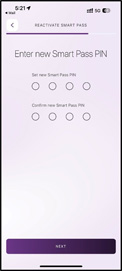
4. Enter a 4-digit Smart Pass PIN of your choice
5. Smart Pass PIN activated successfully
After completing the activation steps, you can authorise your transactions with Smart Pass in seconds, through an encrypted and highly secure mechanism.
Instead of entering the SMS Authentication Code, you will be asked to enter the Smart Pass PIN to authorise transactions. It’s that simple!
If you are registered to Smart Pass, you will also be able to authorise transactions that were initiated from the Online Banking Portal, without having to depend on SMS Authorisation Codes. A notification is sent to your mobile device where Smart Pass is activated and after entering the Smart Pass PIN on the mobile device, the transaction is authorised.
1. Once you initiate a transaction from online banking, a pop up will inform you to authorize the transaction from your trusted mobile device.
2. You will receive a notification on your mobile or you will be able to see a pending transaction on your activity page.
3. You will be asked to slide to confirm the transaction
4. Enter your SmartPass PIN to confirm
5. You will get a confirmation message in both Online Banking and Mobile Banking.
Smart Pass is a transaction authorisation method which ensures more security and convenience for your Online and Mobile transactions. With this new level of security, you do not need to wait for SMS authentication codes anymore to authorise your transactions. Smart Pass enables you to authorise your transactions with a 4-digit PIN of your choice that you define in the Smart Pass activation process.
Smart Pass is a free of charge service. Data fee due to utilisation and activation of Smart Pass will be charged by your operator.
No, you cannot use Smart Pass and SMS authentication code together. Once you activate Smart Pass, you will be authorising your transactions by entering your Smart Pass PIN and this will become your permanent method to authorise transactions.
If you have forgotten or blocked your Smart Pass PIN, you will need to select the “Forgot PIN” option on the screen where you are requested to enter your Smart Pass PIN, to re-activate your Smart Pass.
Verification e-mail can take up to 4 minutes to be received so please wait for it to arrive & click on the option to resend this e-mail if you still haven’t received it.
In case you still do not receive an email entailing the Smart Pass verification code, please check your email address is correct on our systems through the mobile app & please call the call center on 600 599 995 to update your email address on our systems.
Smart Pass is a transaction authorisation method which ensures more security and convenience for your Online and Mobile transactions. Once you activate Smart Pass, you will be authorising your transactions by entering your Smart Pass PIN and this will become your permanent method to authorise transactions.
Smart Pass can be activated only on one mobile device or tablet. You will be able to authorise your transactions with your Smart Pass PIN only from the device where you did the activation. However, you will also be able to authorise transactions initiated from Online Banking by approving the transaction from your registered Mobile device, after entering the Smart Pass PIN.
You will need to activate Smart Pass on your new device. Once done, the Smart Pass configuration on your old device will be deactivated automatically.
If your phone is lost or stolen, please call 600 599 995.