Mobile Banking made as easy as A B C

Emirates Islamic’s official Mobile Banking App EI +, now offers an enhanced digital access to a wide range of banking features directly from your phone. Once registered, manage your accounts, cards, funds, bills and more – all from one device, whenever, from wherever you are.

Steps to Register in EI + App

We’re delighted to welcome you to the new EI + Mobile App, designed to make your everyday banking simpler, faster, and more convenient.

card

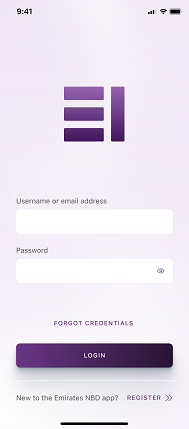
Step 1

Open the EI + App and click on Register

card

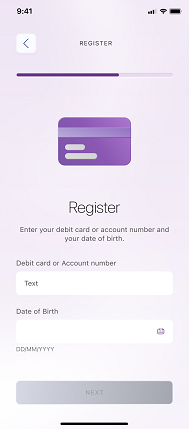
Step 2

Enter your Account / Credit Card / Debit Card number and your Date of Birth

card

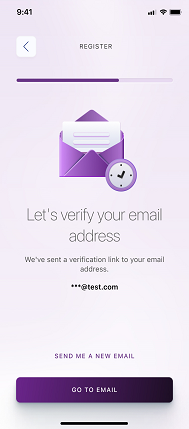
Step 3

Without closing your app, go to your EI registered email, and verify the link

card

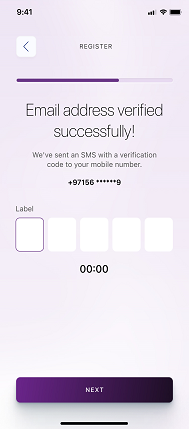
Step 4

Enter the verification code sent to your registered mobile number via SMS

card

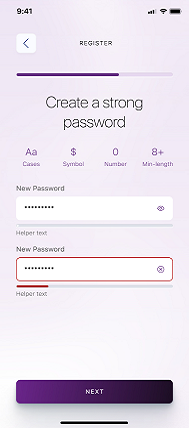
Step 5

Create a password with more than 8 characters (including upper & lower case, a symbol, and a number)

card

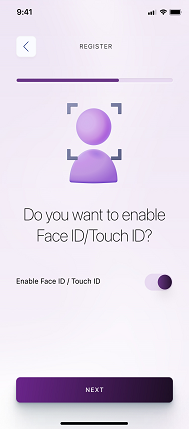
Step 6

Click on Enable Face ID / Touch ID if you want this feature, then click next

card

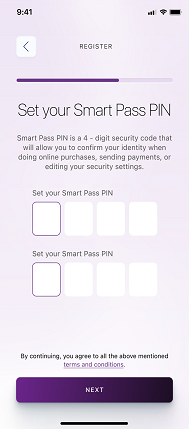
Step 7

Set your SmartPass PIN by entering a 4-digit security code which will allow you to authorize transactions

card

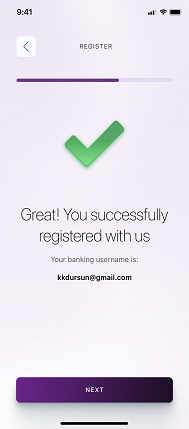
Step 8

Congratulations! You have successfully registered to EI +!

Why should I?

Register to EI +

  • Transfer funds locally and internationally
  • Pay all bills in one place – including Credit Card and Utility Bill payments
  • Straightforward transfers, Easy Payments – send money to Mobile Numbers, set up Beneficiaries and recurring payments
  • Request service changes (e.g., account statements, chequebook requests)
  • Enable biometric login (Face ID / Touch ID)
  • Authorize transactions with SmartPass — a secure 4-digit PIN that replaces SMS OTP for authentication

Tips For an Easier Registration

counter_1

Please make sure: Your mobile number and email address are updated in Emirates Islamic’s records (this ensures OTPs reach you).

counter_2

Update your mobile device to the latest OS version.

counter_3

Make sure to setup your Smart Pass pin and Trusted Device.

Need Help?

If you feel you are struggling with any services, try these:

Confirm and correct your registered email and mobile number details

Delete and re-install the mobile app

Contact Emirates Islamic support through email, WhatsApp live chat or call on 600 599 995 for assistance

Frequently Asked Questions

How was your experience?

We'd love to know.

1-Disappointed 10-Extremely satisfied

Thank you for your feedback!